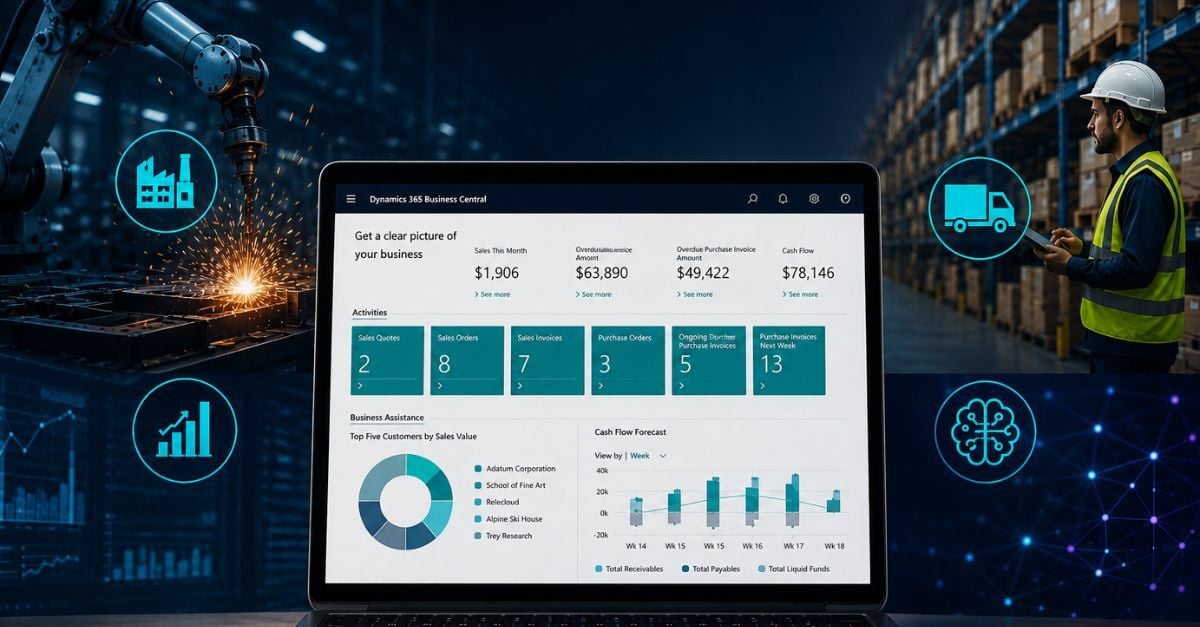
Microsoft Dynamics 365 Business Central 2026 Release Wave 1 is Microsoft's latest biannual update to its cloud ERP platform, introducing new capabilities across manufacturing, distribution, finance, and AI automation. These Dynamics 365 Business Central updates highlight Business Central’s new features for 2026 that strengthen day-to-day execution and visibility.
Delivered through the SaaS model, as part of cloud ERP modernization, these updates improve operational visibility, reduce manual work, and support more data-driven decision-making.
- Part of Microsoft's continuous ERP update cycle
- Focused on automation, AI, and real-time visibility
- Impacts manufacturing, distribution, and finance workflows
Microsoft delivers two major updates each year to Dynamics 365 Business Central, known as "release waves." These updates are outlined in Microsoft's official release plan, which details upcoming capabilities and timelines for each wave in Business Central 2026 Release Wave 1.
In most implementations, access to features is no longer the constraint. The challenge is identifying which capabilities improve execution across finance, operations, and supply chain, and then adopting them effectively.
Business Central 2026 Release Wave 1 focuses on:
- Streamlining routine processes through automation
- Improving visibility across financial and operational data
- Embedding AI into day-to-day ERP workflows with Business Central AI features
For manufacturers and distributors using an ERP for manufacturing or an ERP for distribution, these updates address gaps in subcontracting, warehouse execution, demand planning, and cross-entity visibility, connecting financial and operational data in real time.
What Actually Matters in Business Central 2026 Release Wave 1
Most ERP release notes, including Microsoft's Business Central 2026 Release Wave 1 plan, list dozens of new features. Only a small subset changes how companies operate.
These updates fall into five areas with the greatest operational impact:
- Manufacturing execution and subcontracting visibility
- Distribution and inventory control
- Financial process automation
- AI-driven workflows and decision support
- ERP migration and modernization
For most organizations, the value is not in any single feature. It comes from how these capabilities reduce manual effort, improve visibility, and align financial and operational data in real time.
Manufacturing: Closing Gaps in Production Visibility and Control

Manufacturing complexity comes from how work happens on the shop floor, not from missing ERP functionality.
In most implementations, production is not fully contained within the ERP system. Gaps exist between:
- Internal production and outsourced processes
- Quality checks and documentation
- Operational activity and financial reporting
These gaps limit visibility, delay reporting, and create inconsistent execution.
Subcontracting in Production
Subcontracting in Business Central allows manufacturers to manage outsourced production steps directly within the ERP system.
- Tracks outsourced production activity in real time
- Links vendor costs directly to production orders
- Improves visibility into material usage and cost
- Reduces reliance on spreadsheets and manual tracking
Why this matters:
Subcontracting is often managed outside ERP systems, leading to incomplete costing and limited visibility into work in progress.
Quality Evaluation and Manufacturing Analytics
Most manufacturers don't lack quality processes. They lack consistent, system-driven execution and visibility.
Quality checks often:
- Are recorded manually
- Lack consistent documentation
- Are disconnected from transactions
Production reporting also lags behind actual activity, leading to:
- Limited visibility into quality trends
- Slower response to defects
- Increased audit and compliance risk
Business Central addresses this by connecting quality control and production analytics directly within the ERP system.
Key capabilities include:
- Standardized inspection and testing processes
- Direct linkage between quality results and transactions
- Improved traceability for audits and recalls
- Reduced reliance on manual documentation
Manufacturing Data Models (Analytics)
Manufacturing data models provide predefined structures for production reporting and KPIs.
- Enables real-time production KPIs
- Connects shop floor activity to financial results
- Reduces reliance on manual reporting
- Improves visibility into cost, efficiency, and performance
Distribution & Inventory: Speed, Visibility, and Control at Scale
Cross-Entity Inventory Lookup
Cross-entity inventory lookup provides a unified view of inventory across companies and locations.
- Centralized visibility across entities and warehouses
- Reduced duplicate purchasing
- Improved allocation decisions
- Better inventory utilization
Fragmented inventory data often leads to excess stock in some locations and shortages in others.
Warehouse AI (Picking, Rebalancing, Scanning)
Warehouse AI applies intelligent automation to warehouse operations.
- Improves picking speed and accuracy
- Optimizes inventory placement
- Reduces manual decision-making
- Increases fulfillment efficiency
In many environments, inefficiencies stem from inconsistent processes and poor inventory placement. Warehouse AI helps address this by providing guided workflows and better inventory positioning.
Results depend on process design and data accuracy.
Attribute-Based Pricing
Attribute-based pricing defines pricing rules based on product characteristics rather than static price lists.
- Scales pricing across large product catalogs
- Reduces manual price maintenance
- Improves pricing consistency
- Strengthens margin control
Instead of maintaining thousands of individual prices, organizations can define rules that scale across product groups.
Finance & Automation: Reducing Manual Work and Improving Cash Flow
For many organizations, finance is where ERP value is either realized or lost.
Core processes often still rely on:
- Manual data entry
- Disconnected documents
- Delayed reconciliation
In many environments, accounts payable, invoicing, and planning are only partially automated. This creates delays in billing, slows cash flow, and limits financial visibility.
E-Document to Purchase Invoice Linking
- Links incoming documents directly to invoices
- Reduces manual data entry
- Improves accuracy and traceability
- Speeds up invoice processing
Faster Invoicing
- Speeds up invoice creation
- Reduces manual transaction selection
- Improves billing accuracy
- Supports faster revenue recognition
Delayed invoicing remains a common issue and directly impacts cash flow.
Forecast-to-Plan Scenarios (Power BI)
- Aligns financial forecasts with operational data
- Improves planning accuracy
- Enables scenario-based decisions
- Connects finance and operations
What This Means in Practice
These updates focus on removing friction from financial processes.
- Invoicing is often delayed
- Billing is inconsistent
- Planning is disconnected
Improving automation and alignment helps finance teams operate faster and with greater accuracy.
AI & Copilot: From Process Automation to Intelligent Execution
Automation reduces manual work. AI changes how work gets done. Business Central AI features extend Copilot and related capabilities to bring more intelligence to everyday tasks.
In most organizations, automation handles tasks, but decision-making and planning still rely heavily on people.
AI Demand Planning Insights
- Improves forecasting accuracy
- Reduces stockouts and excess inventory
- Identifies patterns and anomalies
- Supports better planning decisions
AI Agents for Sales and Purchasing
- Automates repetitive workflows
- Improves consistency
- Reduces manual effort
- Frees teams for higher-value work
AI Governance and Control
- Provides visibility into AI-driven tasks
- Enables review and oversight
- Supports control and accountability
What This Means in Practice
AI enhances execution, but value depends on:
- Process maturity
- Data quality
- Governance
Migration & Modernization: Moving Beyond Legacy ERP Constraints
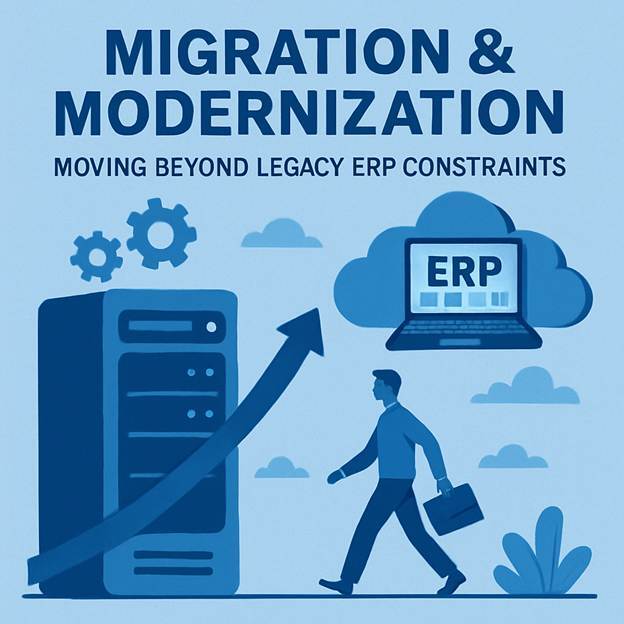
Business Central expands migration capabilities to support a wider range of SQL-based systems, simplifying the transition to the cloud. This accelerates cloud ERP modernization while preserving needed historical data.
- Supports migration from a broader set of systems
- Reduces technical barriers to cloud adoption
- Accelerates transition from legacy ERP environments
- Enables access to modern ERP capabilities
Reimplementation Migration Tools
Business Central also supports reimplementation strategies that allow organizations to rebuild their ERP environment with a clean structure.
- Enables fresh system design without legacy constraints
- Avoids carrying forward outdated processes and customizations
- Supports better long-term scalability
- Improves system performance and usability
What This Means in Practice
These capabilities are not just technical. They are strategic.
In many organizations, legacy systems limit visibility, increase complexity, and slow down change.
By enabling both migration and reimplementation approaches, Business Central provides a clearer path to modernization. For organizations evaluating this transition, an ERP readiness assessment can help determine the right approach based on current systems and processes.
For leadership teams, that translates into:
- Lower long-term system complexity
- Improved scalability
- Better alignment between technology and business operations
Where This Release Has the Most Value
This release delivers the most impact in environments where operational complexity and limited visibility create friction in day-to-day execution.
It is most relevant for organizations that:
- Manage complex production processes, including subcontracting
- Operate across multiple warehouses or legal entities
- Experience delays in invoicing or rely on manual financial workflows
- Depend on spreadsheets for reporting, planning, or inventory visibility
- Are exploring AI but lack structure or governance
In these environments, the updates can drive measurable improvements in:
- Operational efficiency
- Financial accuracy
- Inventory control
- Planning and forecasting
Where It May Have Less Immediate Impact
Not every organization will see the same level of benefit.
This release may have less immediate impact if:
- Core processes are already highly standardized and automated
- Operations are relatively simple with limited scale
- Existing systems already provide sufficient visibility and control
Even in these cases, long-term value often comes from:
- Improved scalability
- Better alignment between systems and processes
- Access to ongoing innovation through the cloud platform
How to Approach These Updates
In most implementations, the challenge is not enabling new features. It is adopting them in a way that improves execution.
A structured approach typically includes:
- Identifying operational bottlenecks and visibility gaps
- Mapping new capabilities to specific business processes
- Prioritizing updates based on measurable business impact
- Ensuring data quality and process consistency
Organizations that take this approach tend to see the most value, not just from new functionality, but from improved execution across the business.
Final Takeaway
Business Central 2026 Release Wave 1 reflects a broader shift in ERP.
- From systems of record
- To systems that support execution, automation, and decision-making
For manufacturers and distributors, the opportunity is not just to adopt new functionality. It is to improve how the business operates day to day.
The next step is not a system upgrade. It is an evaluation of where these capabilities can deliver the most impact across your operations.
Next Step: Identify Where This Drives Real Impact
Most companies do not benefit from every update in a release. Value comes from applying the right capabilities to the right processes.
If you are evaluating Business Central or planning your next phase of ERP improvements, the priority should be clear.
Start by asking:
- Where are manual processes slowing down execution?
- Where is visibility limited across finance, operations, or inventory?
- Which decisions are being made without real-time data?
Answering these questions will clarify where these updates can improve performance across your business.
If you need help identifying where these changes have the most impact, a structured ERP assessment can provide a clear starting point.
FAQs
What is Business Central 2026 Release Wave 1 focused on, and which updates actually matter?
This wave centers on automation, AI, and real-time visibility delivered through SaaS.
The updates with the most operational impact fall into five areas: 1) manufacturing execution and subcontracting visibility, 2) distribution and inventory control, 3) financial process automation, 4) AI-driven workflows and decision support, and 5) ERP migration and modernization.
The real value comes from reducing manual effort, improving visibility, and aligning financial and operational data in real time—not from any one feature. AI additions (e.g., demand planning insights, AI agents for sales and purchasing, and governance controls) further embed decision support into day-to-day work.
How do the manufacturing enhancements close gaps in production visibility and control?
Business Central brings outsourced work, quality, and analytics into the ERP flow.
Subcontracting tracks external production steps in real time, ties vendor costs to production orders, improves material/cost visibility, and eliminates spreadsheet work.
Quality evaluation standardizes inspections, links results directly to transactions, improves traceability for audits/recalls, and shortens the response to defects.
Manufacturing data models enable real-time KPIs that connect shop-floor activity to financial outcomes, reducing manual reporting and revealing trends in cost, efficiency, and performance.
What changes help distribution and inventory teams move faster with better control?
Cross-entity inventory lookup creates a single view across companies and warehouses to cut duplicate purchases, improve allocations, and use stock more effectively.
Warehouse AI guides picking, inventory placement, and scanning to lift speed and accuracy while reducing manual decisions (results depend on solid process design and data quality).
Attribute-based pricing scales pricing based on product characteristics rather than maintaining thousands of item-level prices, improving consistency and margin control with less upkeep.
Which Business Central finance updates reduce manual work and improve cash flow?
Three updates target friction in finance.
E-document to purchase invoice linking connects incoming documents directly to invoices, trimming data entry and improving traceability.
Faster invoicing streamlines creation and transaction selection to improve billing accuracy and accelerate revenue recognition.
Forecast-to-Plan scenarios (via Power BI) align financial forecasts with operational data to support scenario-based planning and better decision-making. Together, they address delayed invoicing, inconsistent billing, and disconnected planning.
How should organizations adopt these Business Central updates, and what are the options for modernization?
Use a structured approach: identify bottlenecks and visibility gaps, map new capabilities to specific processes, prioritize by measurable business impact, and ensure data quality and process consistency.
For modernization, Business Central expands migration options from a broader range of SQL-based systems, reducing barriers to cloud adoption.
Reimplementation tools support a clean rebuild when legacy design and customizations hold you back, improving scalability, performance, and usability.
Both paths are strategic and aim to lower long-term complexity and better align technology with operations; a structured ERP assessment can help determine the right approach.